Introduction
Loading a single record into SAP is a task. Loading tens of thousands cleanly, repeatably, and safely is a strategy. The difference between the two is what this guide is about.
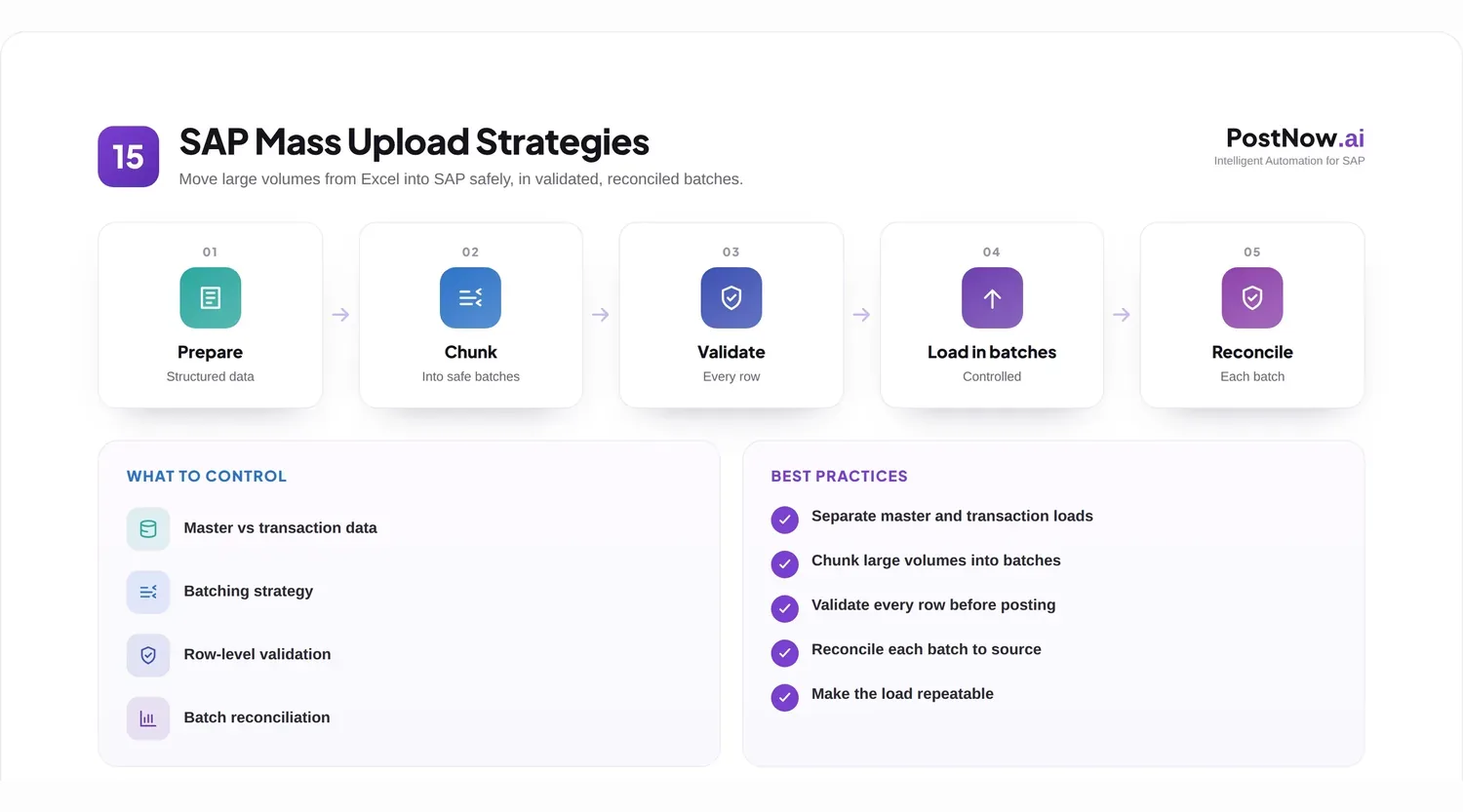
Mass uploads appear at every scale of SAP work: onboarding a large supplier base, posting a month of documents, or loading an entire data set during a migration. As volume rises, the casual habits that work for a handful of rows start to fail, and a more deliberate approach becomes essential.
This article looks at mass uploading as a capability rather than a one-time act. It covers how master and transaction data differ, how to validate and batch at scale, how to recover from errors, and how to keep the whole thing governed. The Excel to SAP automation pillar offers the broader foundation.
It is written for the teams who own large loads, where getting the strategy right is the difference between a quiet afternoon and a long weekend.
It is worth being clear about what changes as volume grows. The mechanics of a load barely differ between ten rows and ten thousand, but the consequences do. At scale there is no room to fix things by eye, no patience for a load that has to be redone, and no hiding a mistake that touches every record. Strategy is how you compensate for losing the manual safety net.
One framing helps throughout: a mass upload is a controlled experiment as much as a data load. You form an expectation of what should result, run the load, and then check the actual outcome against that expectation. Reconciliation is simply confirming the experiment behaved as predicted.
Notice that none of this requires exotic technology. The strategies below are mostly about sequence, batching, and checking, all of which an ordinary team can apply with the tools it already has. The sophistication is in the discipline, not the machinery.
The payoff is real: a team that masters mass loading spends less time firefighting bad data and more time on the work that genuinely needs human judgment.
Core concepts: master data and transaction data
The first strategic decision is recognizing what kind of data you are loading, because the two behave very differently in bulk.
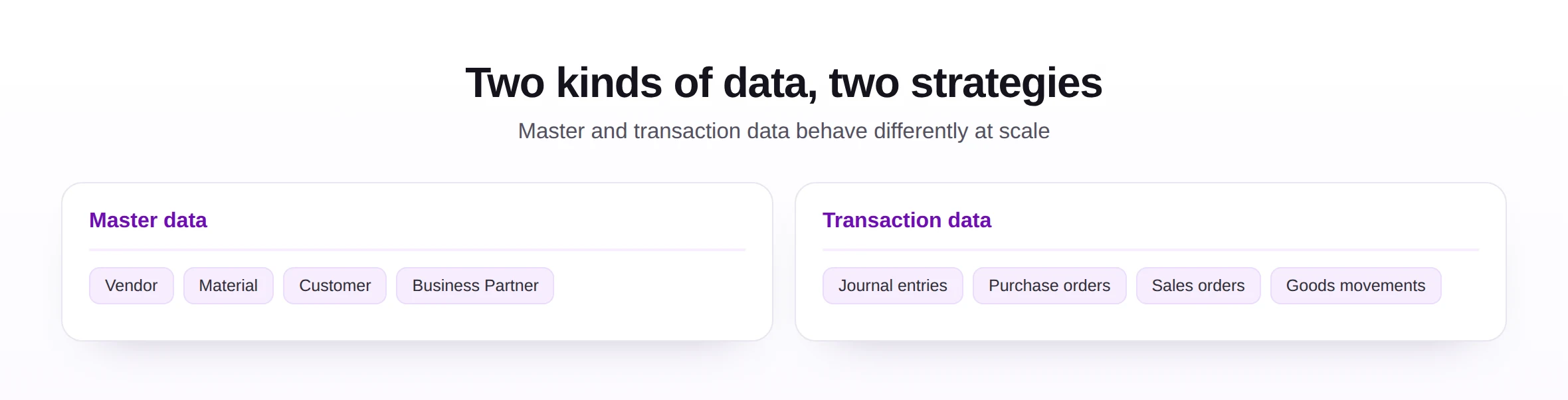
This is the single most useful distinction in the whole topic, so it is worth getting right before anything else. Almost every later decision, about validation, sequencing, and recovery, follows from whether you are loading the things a business is, or the things a business does.
Master data describes the lasting entities a business works with, such as vendors, materials, and customers. It changes relatively slowly, must be unique and consistent, and is referenced by countless transactions, so an error here ripples widely.
Transaction data records the events that happen, such as postings, orders, and movements. It is high in volume, time-sensitive, and depends on master data already being correct. A mass load of transactions assumes the master records they reference already exist and are clean.
This distinction shapes everything. Master data loads reward care over speed and lean heavily on uniqueness and standards, while transaction loads reward throughput and depend on the master data behind them being sound first. Loading transactions onto shaky master data is a classic way to multiply problems.
A practical consequence is sequencing. In any program that loads both, master data goes first and is confirmed clean before transactions follow, because the transactions lean on it. Getting that order wrong is one of the most common and most painful mass-upload errors.
It also pays to think about timing. Large loads often compete with normal system use, so scheduling them sensibly, and communicating when they will run, keeps a mass upload from disrupting the very users it is meant to help.
Business scenarios
Mass uploads earn their strategy in a handful of demanding situations.
- Bulk master creation, such as loading thousands of materials or vendors at once.
- High-volume postings, like a batch of journal entries or sales orders.
- Periodic operational loads, for example daily goods movements at scale.
- Migration cutover, where enormous volumes load in a tight window.
- Mass corrections, applying a fix across many existing records at once.
What these share is that volume removes the safety net of manual review. You cannot eye-check ten thousand rows, so the strategy has to build in the checks that a person would otherwise perform one record at a time.
Volume also changes the economics of preparation. Spending an extra hour perfecting a template or a validation rule is hard to justify for a dozen rows, but trivially worth it for fifty thousand, where that hour prevents thousands of errors. The larger the load, the more the up-front care pays back.
Recommended approaches
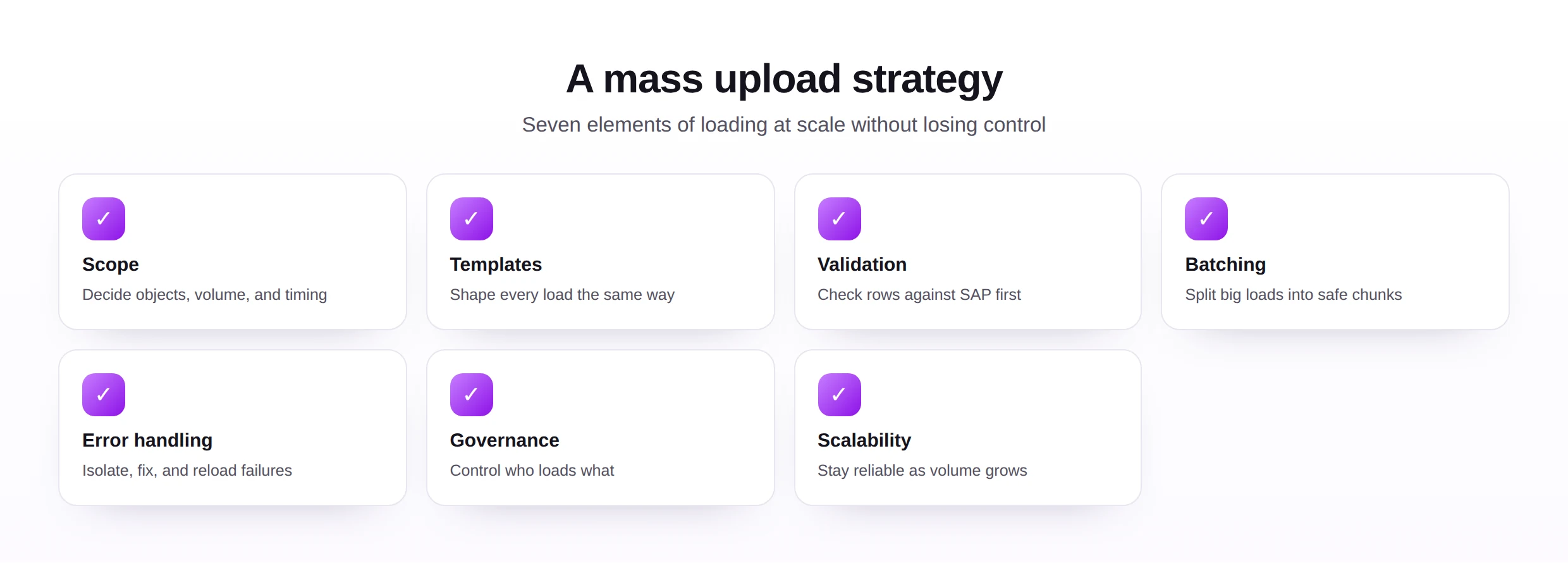
A sound mass-upload strategy rests on a few pillars that together keep large loads reliable.
Validate at scale
At volume, validation is not optional. Check every row against SAP rules before posting, so a bad batch is stopped at the door rather than discovered as thousands of wrong records inside the system.
Validation at scale is also about confidence, not just correctness. When you know every row was checked against SAP, you can post a huge batch without the nagging worry that something slipped through. That confidence is what lets a team load large volumes calmly rather than nervously.
Batch for safety and speed
Split a very large load into manageable batches. Batching limits the blast radius if something goes wrong, makes progress visible, and often improves performance, turning one risky giant load into a series of controlled smaller ones.
Batch size is a judgment worth making deliberately. Too large and a single failure disrupts a lot of work; too small and the load drags on with needless overhead. A sensible middle, tuned to your system and data, gives you both manageable risk and reasonable speed.
Plan error recovery
Decide in advance what happens when rows fail. The reliable pattern is to isolate the failures, leave the successful rows posted, fix the failed ones, and reload only those, so a partial problem never forces redoing the whole load.
The key idea in error recovery is partial progress. A load that is all-or-nothing turns one bad row into a complete restart, which at scale is brutal. A load that keeps the good rows and lets you retry only the bad ones turns the same problem into a minor follow-up, which is exactly what you want.
Design for scalability
Build the load so it still works when the volume doubles. Repeatable templates, automated validation, and batching are what let the same approach serve a hundred rows or a hundred thousand, supported by broader automation tools.
Scalability is less about raw speed than about predictability. A scalable load behaves the same way at every size, so a team can plan around it, whereas an approach that works at small volume but falls over at large volume forces a redesign at the worst possible moment. Design for the size you will reach, not just the size you start at.
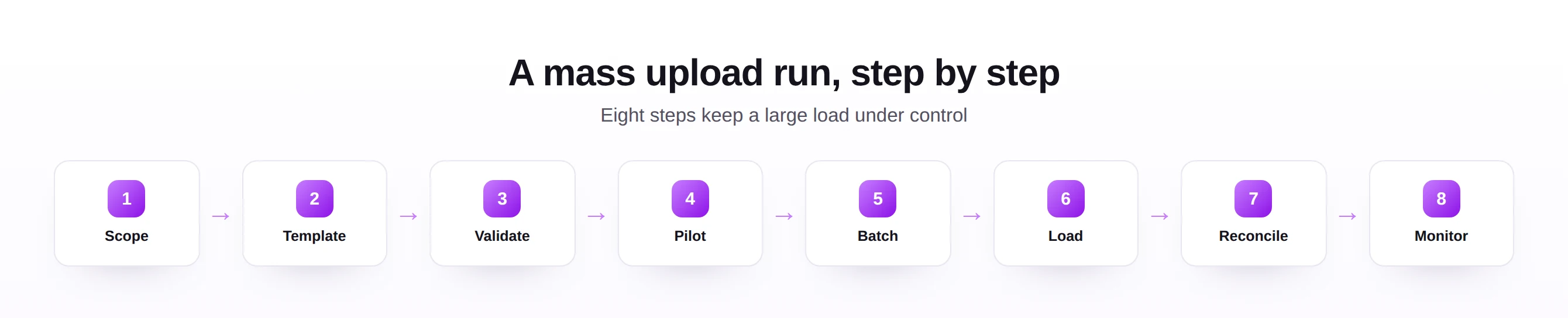
The eight steps are deliberately the same regardless of object or volume, which is part of their value. A consistent run sequence means a team builds muscle memory, and each new load feels familiar rather than improvised, even when the data is new.
An implementation checklist
This checklist turns the strategy into an order of work for any large load.
| Step | What to do |
|---|---|
| Scope | Confirm the objects, volume, timing, and owner. |
| Template | Shape the data with a versioned template. |
| Validate | Check every row against SAP before posting. |
| Pilot | Run a small batch on safe data and confirm results. |
| Batch | Split the full load into controlled chunks. |
| Load | Post the batches, watching progress as you go. |
| Reconcile | Compare what posted against what was expected. |
| Monitor | Watch for issues and keep the run log. |
The pilot and reconcile steps are the ones teams most often skip and most often regret. A pilot catches problems while they are small, and reconciliation is the proof that the load actually did what you intended.
It is tempting to treat the checklist as bureaucracy, especially under time pressure, but at scale it is the opposite: it is what keeps a big load from becoming a big incident. Each step removes a category of risk, and skipping one tends to be exactly where the trouble later turns out to have started.
Common mistakes
At scale, small oversights become large incidents, which is why these mistakes matter so much.
The remedies are built into the strategy: clean and confirm master data first, always pilot, batch large loads, design error recovery that touches only failures, and reconcile every run. Each one limits how much damage a single mistake can do.
What unites these mistakes is a failure to respect scale. Each one is harmless with a handful of rows and dangerous with thousands, which is why strategies that feel like overkill for small loads are simply prudence for large ones. The mindset shift is to plan for the volume you will actually handle.
Best practices
A few habits make mass uploading dependable as a repeatable capability, not just a one-time feat.
- Get master data right before transactions, so the foundation is sound.
- Validate and reconcile every load, so correctness is proven, not assumed.
- Keep loads idempotent where possible, so a safe rerun does not create duplicates.
- Govern access and keep logs, grounded in master data governance.
- Standardize templates and steps, so any large load follows the same trusted path.
These practices favor scalability, auditability, and maintainability. A mass-upload approach built this way handles growth gracefully and can be handed between people without the knowledge walking out the door.
Idempotency deserves a special mention, because it is the practice that most reduces fear of large loads. When a rerun cannot create duplicates, a load that fails partway is no longer a crisis; you simply run it again. Designing for safe reruns turns mass loading from a high-wire act into a routine one.
Future trends
Mass loading is getting more automated and more guided, while the need for validation and reconciliation only grows with volume.
- Automated batching, where tools size and sequence batches for you.
- AI-assisted validation, flagging anomalies across large data sets before they post.
- Self-service at scale, letting business users run big loads safely within guardrails.
- Continuous reconciliation, checking results automatically rather than manually afterward.
- Governance built in, so large loads stay controlled as they grow.
However loads are run in future, scale will keep punishing weak validation and rewarding good reconciliation. The strategy that treats those as essential, not optional, will keep working no matter how large the volumes become.
For teams building this capability now, the advice is to invest once in a solid, repeatable approach and then reuse it everywhere. The first large load is the expensive one; done well, it becomes the template that makes every subsequent load faster, safer, and far less stressful.
Seen as a whole, a mass-upload strategy is mostly about turning a frightening event into a routine one. Every element, from batching to reconciliation, exists to shrink the unknowns, so loading a hundred thousand records feels less like a leap and more like a well-trodden path.