SAP goods movement automation is the practice of posting receipts, issues, and transfers from data rather than keying each one into MIGO. PostNow runs it from Excel: every movement line is a row, and the add-in posts them with the standard BAPI_GOODSMVT_CREATE, gathering lines into material documents, applying the right movement type, checking the values, and committing in one run, with any SAP error rendered in plain language.

This is a twelve-step worked example of posting goods movements from Excel to SAP, goods receipts against purchase orders, goods issues to a cost center or order, and stock transfers between locations, all in one run. Keep the mapping, the document grouping included, and you have a goods movement Excel template ready for the next batch. It works on classic ECC and on S/4HANA, where Inventory Management still posts movements behind MIGO and the same BAPI. After a one-time setup, the people running the load need no ABAP and no developer.
Why post goods movements from Excel instead of keying MIGO
Posting a movement manually in MIGO means choosing the movement type, then entering each line with its material, plant, storage location, quantity, and a reference such as a purchase order or a cost object. A handful of lines is quick. A day's receipts, a shift's issues to production, or a relocation of stock between plants becomes screen after screen, and a wrong movement type or storage location only shows once the posting is rejected.
Posting goods movements from Excel changes the rhythm of the work. The movements already exist in a spreadsheet, often from a scanner export or a warehouse log, and post to SAP grouped into material documents in one run. For a routine bulk goods receipt or a one-off mass goods movement upload, the awkward parts, picking the function and movement code, mapping the fields, getting quantities and dates right, and reading MM messages, are taken care of. The twelve steps below lay out the whole flow.
Before you start: what you need
- Your movements in Excel, one line per row, with a shared document reference where several lines should post as one material document.
- SAP authorization to post goods movements, the access you would use for
MIGO, across the movement types, plants, and storage locations you are loading. - PostNow in Excel, tied into your SAP system. Its function modules are deployed to SAP once at setup; after that, the movement runs happen from the task pane.
Your goods movement Excel template: the fields SAP expects
A movement line says what moved, from or to where, and how much, with a reference that links it to the rest of the process. These are the fields a goods movement run depends on; carry them, and confirm the materials, plants, and storage locations they name already exist.
| Excel column | SAP field | Why it matters |
|---|---|---|
| Movement type | MOVE_TYPE | Per line; 101 receipt, 201 or 261 issue, 311 transfer, and so on |
| Material | MATERIAL | What is moving; must exist in the plant |
| Plant / storage location | PLANT / STGE_LOC | Where the stock sits or is headed (T001W, T001L) |
| Quantity | ENTRY_QNT | How much moved, in the entry unit |
| PO reference | PO_NUMBER / PO_ITEM | For a receipt against a purchase order |
| Cost object | cost center / order | For an issue, where the stock is consumed |
BAPI_GOODSMVT_CREATE posts a material document from a GOODSMVT_HEADER with the posting date, a GOODSMVT_CODE that selects the transaction class, and a GOODSMVT_ITEM table where each line carries its movement type and quantity. It supports a test run to simulate first and returns the new material document number, with the commit issued once the post succeeds. Step 2 has PostNow's function finder pick the BAPI, pull its structures in, and set the code.The goods movement run, step by step
Lay out and open your sheet
Put each movement line on a row under headers like Document Ref, Movement Type, Material, Plant, Storage Location, Quantity, and PO Number or Cost Object. Open the workbook and bring the PostNow task pane up beside it.
Choose the goods movement BAPI
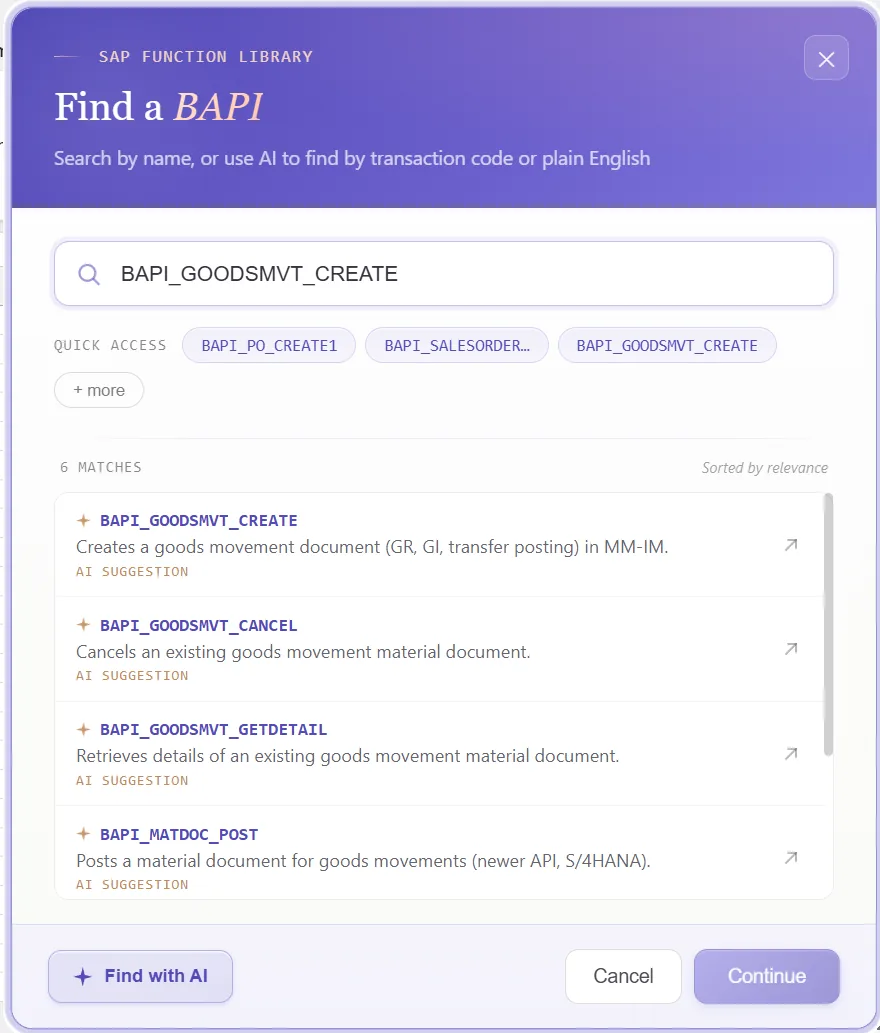
A standard call posts the document, so there is nothing to record. Open the function finder and choose what the task needs:
- Take
BAPI_GOODSMVT_CREATEand set the movement code for the class of movement, a receipt for a PO, an issue, or a transfer - Each line then carries its own movement type, so a single run can mix receipts and issues if their codes match
- Switch on the test run to simulate the posting before any material document is created
Confirm the function and PostNow brings in its header and item structures, ready to line up with your columns, so MIGO stays shut.
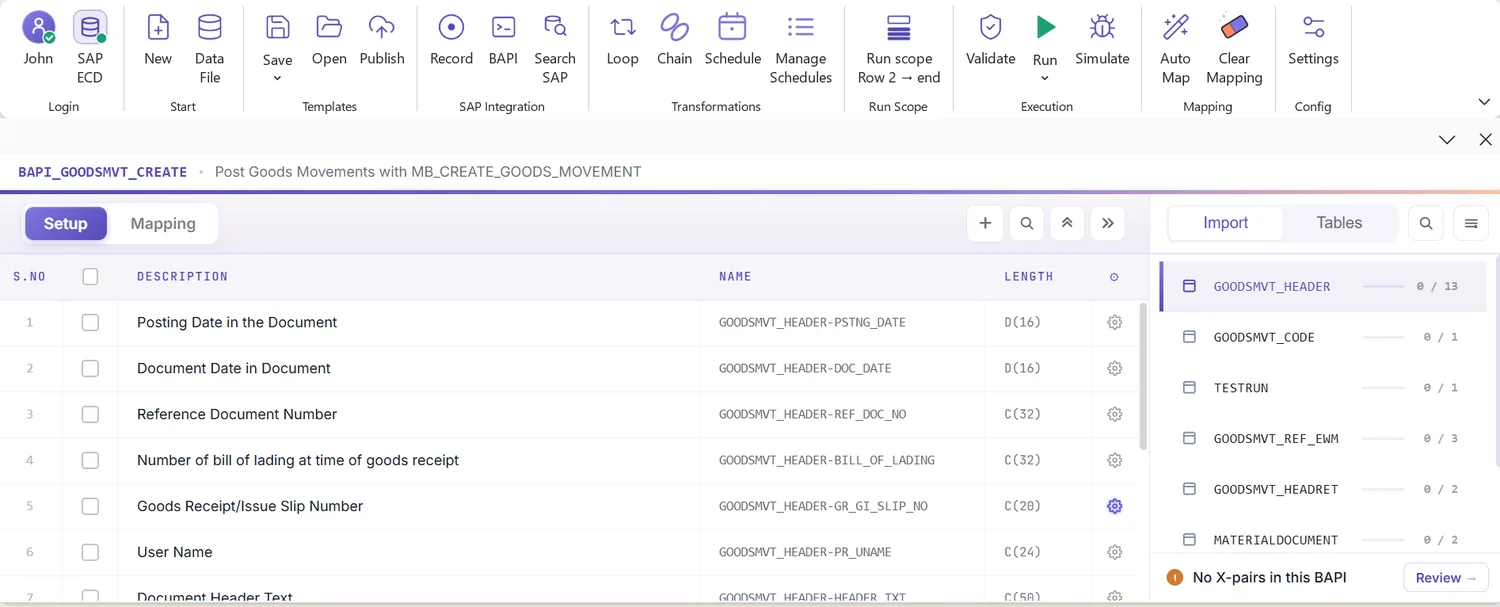
Look over the structures it returns
What comes back is a small header, a code, and a table of lines. Because it mirrors how a material document is built, a glance shows what belongs to the document and what belongs to each line:
That tells you, before any mapping, which columns are document-level and which repeat per line.
Open the Mapping Designer
Selecting the BAPI fills the Mapping Designer with a line for each header and item field. Two things matter here:
- Extensions are detected. Append fields your system adds to the movement item are pulled in automatically.
- You can add your own. Anything missed you place manually, so standard and custom fields ride in one run.
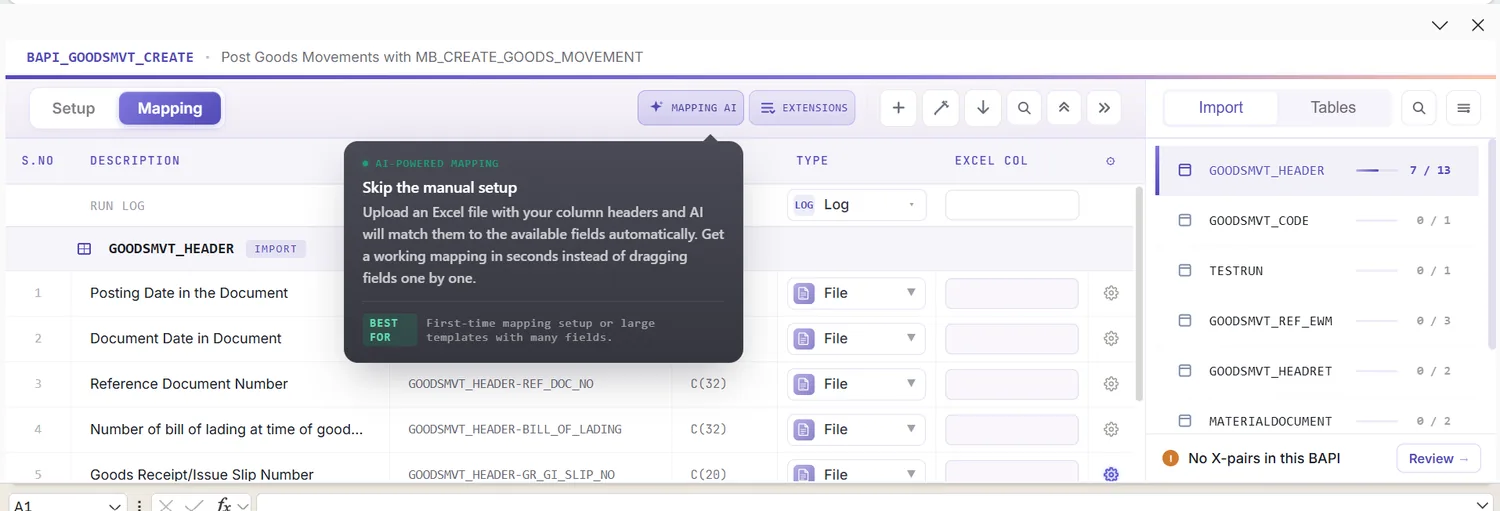
Match columns with Mapping AI AI
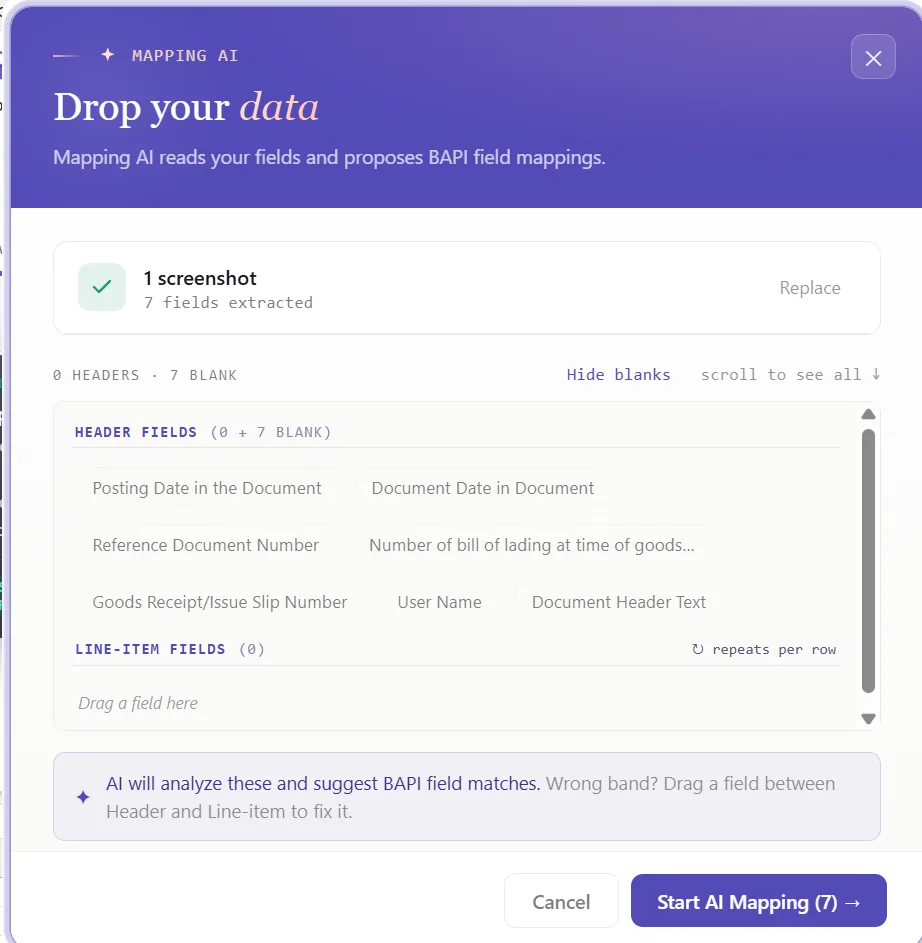
Now connect the structures to your data. Mapping AI proposes an Excel column for each header and item field, reading your headers or a screenshot you drop in, and you confirm or adjust, useful when a line mixes a movement type with a stock location and a reference.
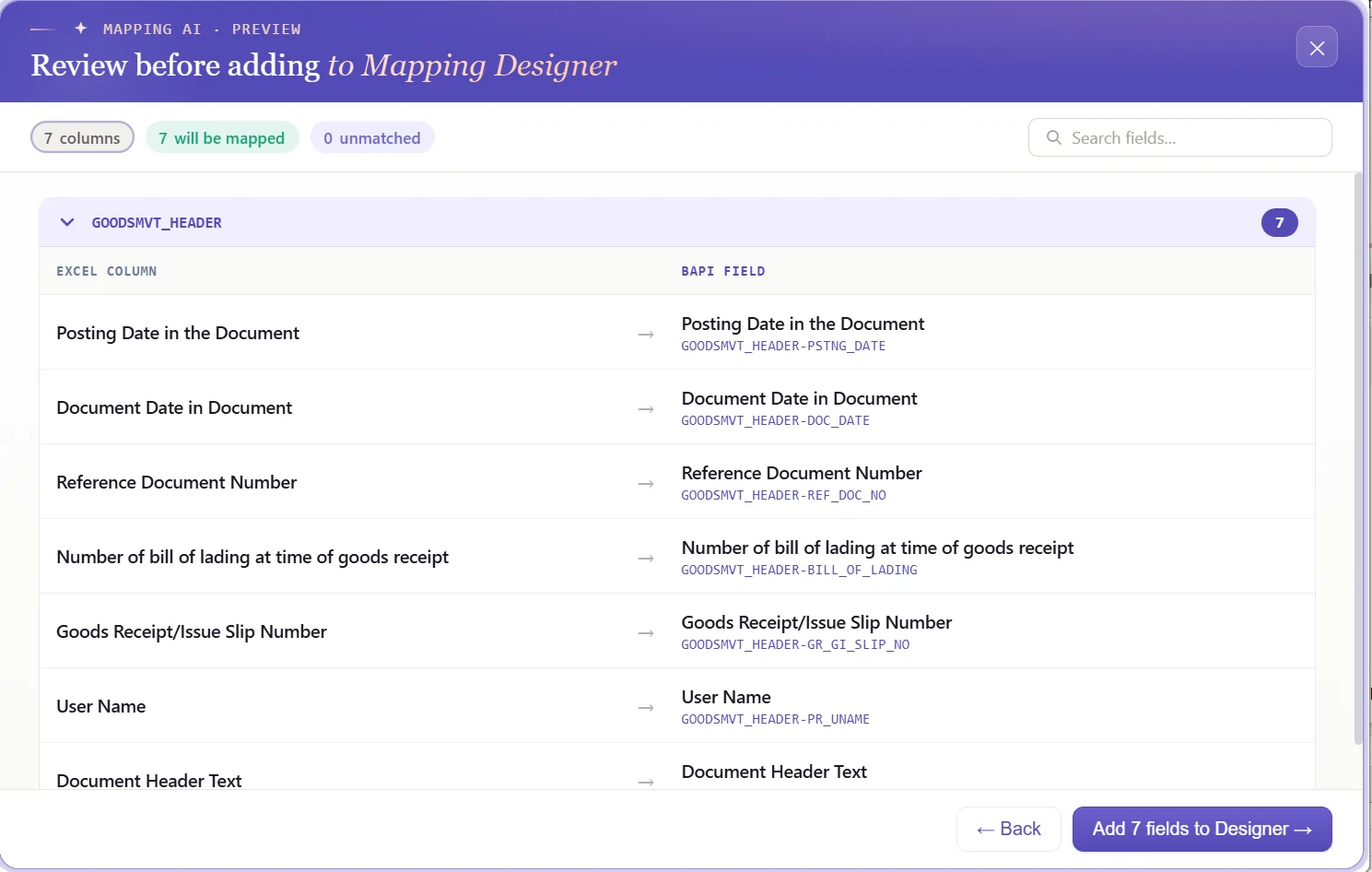
Auto Map and group items under a document
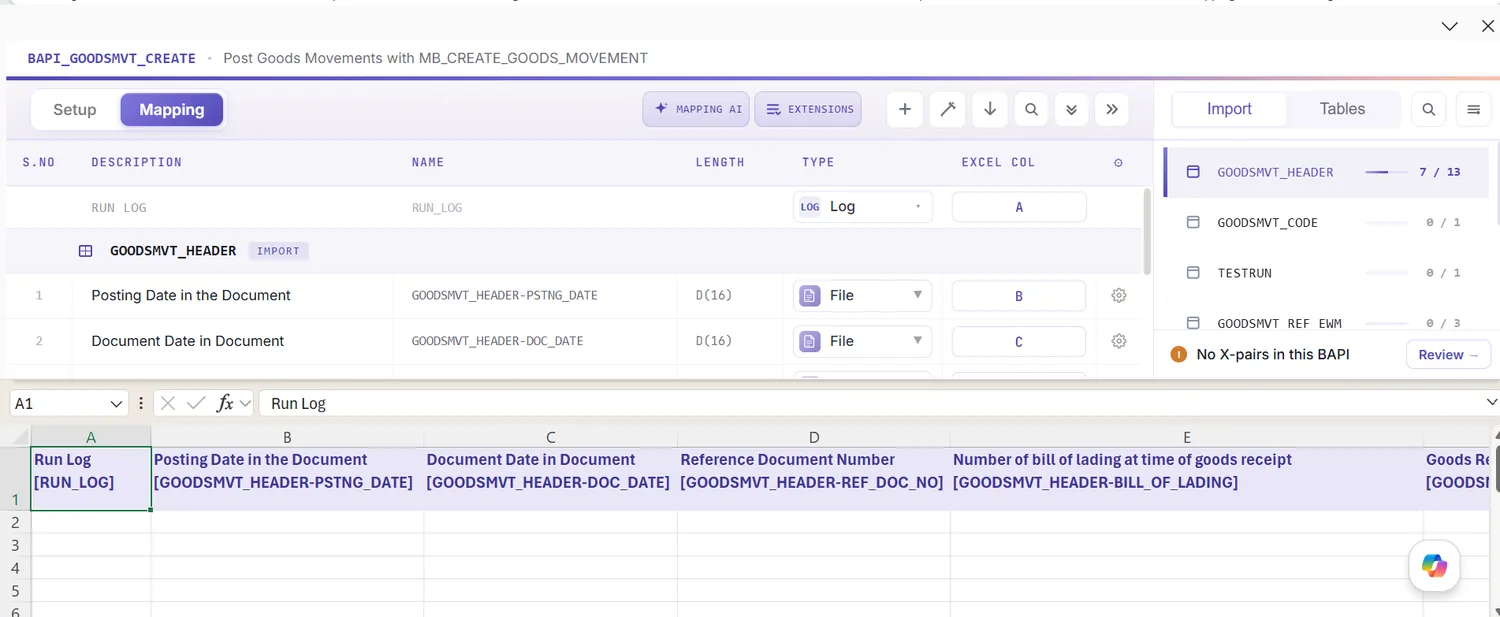
Run Auto Map to fix the mapping and write SAP-tagged headers across the sheet. Because a material document can hold several lines, this is where you set the grouping: rows sharing a document reference post together as one material document, the header read once and the lines read as items. The workbook is the template from here on, and the grouping rides with it.

Set formatting and defaults
A field's properties shape how its value posts: leading zeros on the material number, upper case on codes, a date format on the posting date, the right decimals on quantity, defaults for a constant plant or location, and regex. Because a single run can carry several movement types, getting these right keeps each line posting as its type expects.
Check each line in Excel first
It helps to check before posting: an MM error usually lands as a short code once a line has already failed. Validate brings the check forward, every row is tested against SAP's length, format, and required-field rules and the offending cells are flagged, so the sheet is clean before any line is sent.
Confirm against live SAP
Good formatting is no guarantee a value exists, a storage location can read fine and not be set up for the material. To test it, open the field's properties, enable field validation, and supply the check table and field, a material against MARA, a plant against T001W, or a storage location against T001L. Select the cell, run Validate master data, and PostNow asks live SAP whether the value is there and usable.

Group items into documents with loops
Because each call posts one material document, this is where the structure pays off:
- Header/detail loops: rows sharing a document reference collapse into one material document, the header taken once and each line added as an item.
- IF conditions: include only the lines you want, for example posting a receipt only where a quantity is present, or holding back lines flagged as already posted.
Set the scope, post, and review AI
Choose the range with Run Scope, a single document first, then the rest, and press Run; the test run fits here too. A few aids:
- Run log: results appear live and write into a log column against each row in Excel.
- Payload view: open the exact data sent to SAP for any document, header and lines together, so a failure is never a guess.
- AI error review: AI Review reads the MM message and explains, plainly, what blocked the line and where to fix it.
- Material document per group: PostNow writes the new material document number back beside the lines it covers.
Publish and roll it out to the team
After a clean run, publish. The configuration, grouping and all, becomes a script the warehouse team runs unchanged, they open it, paste their movements, and post, with no mapping to rebuild and no need to know the BAPI underneath. A one-time build becomes the standard way to post movements.
Let's talk
Bring a real movement file and a live SAP connection to a working session. We will set the code, group the lines into documents, map, validate, and post for real, with AI taking the strain. No slide decks.
Frequently asked questions
What is SAP goods movement automation?
MIGO. With PostNow the movements stay in Excel and post in one governed run via BAPI_GOODSMVT_CREATE, while AI maps the fields, checks the values, and explains any MM error.How do you post goods movements in SAP from Excel?
BAPI_GOODSMVT_CREATE and groups lines into material documents, so there is no MIGO keying and no ABAP.Which BAPI posts SAP goods movements?
BAPI_GOODSMVT_CREATE posts a material document from a GOODSMVT_HEADER, a GOODSMVT_CODE that picks the kind of movement, and a GOODSMVT_ITEM table where each line carries its movement type. It offers a test run and returns the material document number, and PostNow handles the commit for you.