Executive summary
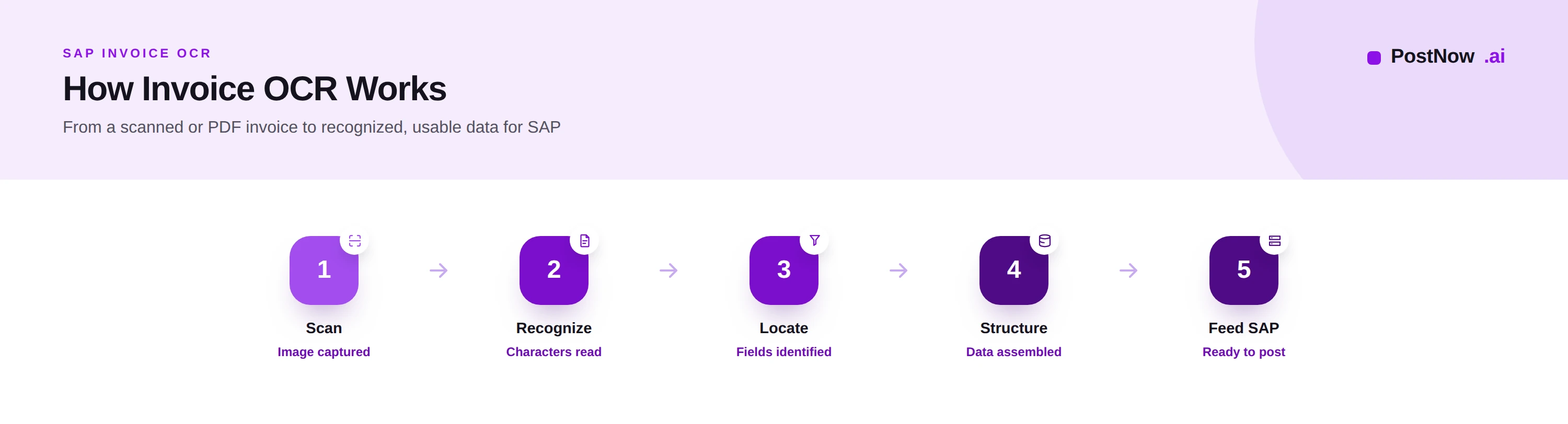
Invoice OCR is the technology that converts the image of an invoice, a scan or a PDF, into machine-readable data. It is the recognition layer beneath invoice automation, and understanding it clarifies both what is possible and where the limits of older approaches lie.
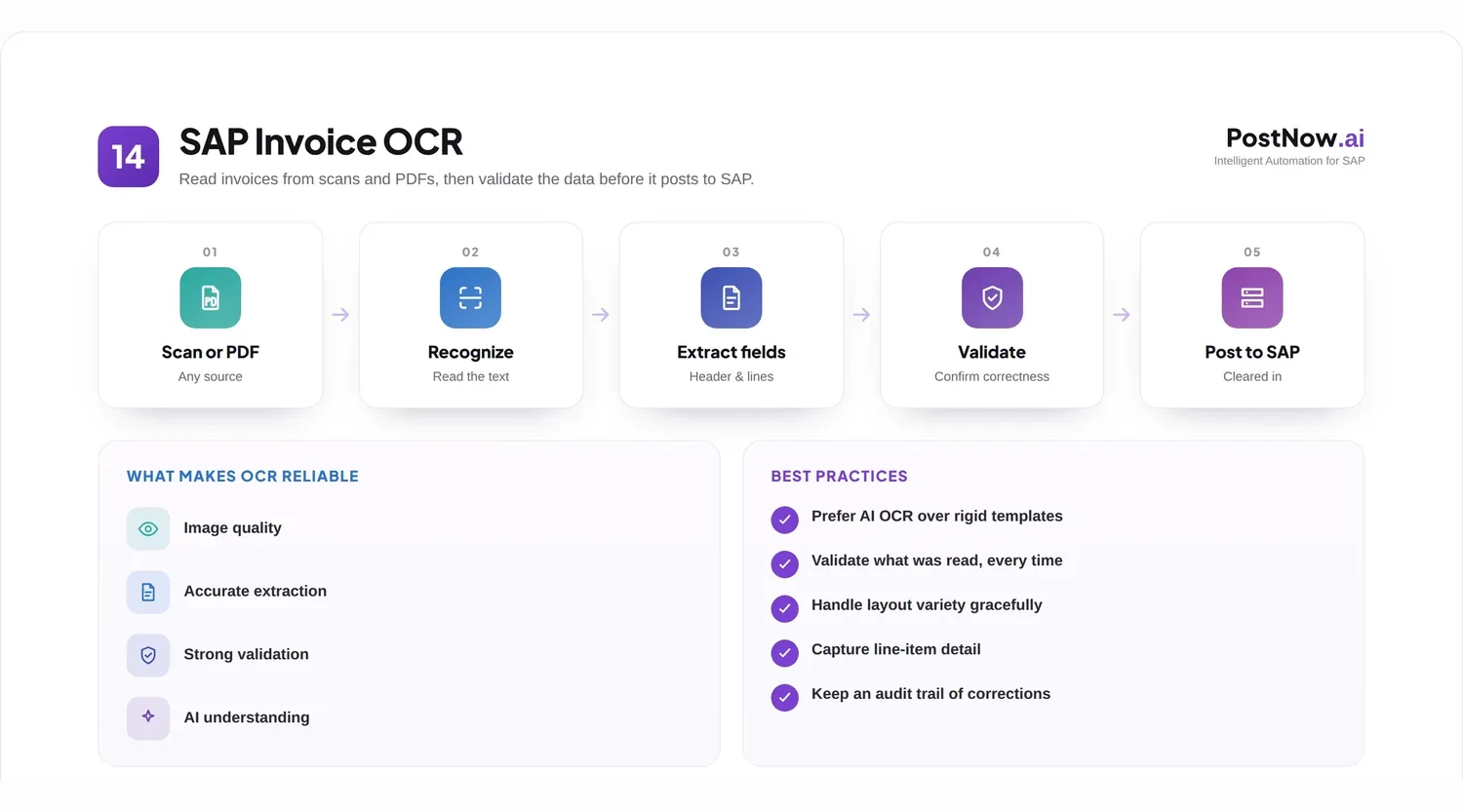
OCR is often treated as a single thing, but it spans a spectrum, from reading characters off a page to understanding an invoice with artificial intelligence. Knowing where a given approach sits on that spectrum explains why one invoice process is brittle and another is resilient.
This article explains invoice OCR in practical terms. It covers the fundamentals, the specific demands of reading invoices, the differences between template, traditional, and AI-based OCR, how the output reaches SAP, and the practices that get the best from it. It complements the SAP Document AI pillar and the invoice management guide.
OCR fundamentals
Optical character recognition is the conversion of an image of text into the actual characters that text represents.
When an invoice is scanned or saved as an image-based PDF, what the computer holds is a picture: a grid of dots that happens to look like text to a human. OCR analyzes that picture and works out which shapes are which characters, producing text the system can store and search rather than a mere image.
This is a genuine and useful capability, and it is the necessary first step for any image-based invoice. Without it, a scanned invoice is just a picture, opaque to any system. With it, the invoice becomes text. But text is not the same as data: knowing that the page contains the characters that spell a number is not the same as knowing that number is the invoice total. That gap is the central theme of invoice OCR.
It is also worth noting that digitally generated PDFs often already contain selectable text, so they need less recognition than scanned images. The hardest OCR challenge is the photographed or faxed invoice, where image quality is poorest and recognition errors most likely.
Invoice OCR specifically
Reading an invoice is harder than reading a page of prose, because an invoice is structured, varied, and consequential.
An invoice is not free text; it is a set of specific fields, supplier, number, date, tax, total, and a table of line items, arranged differently by every supplier. Reading it usefully means not only recognizing the characters but locating these fields and capturing the line table correctly. The same total may sit in a different place on every invoice an organization receives.
The stakes are higher too. A misread character in a body of prose is a typo; a misread digit in an invoice total is a payment error. Invoice OCR therefore has to be accurate to a degree ordinary text recognition does not, and it has to know when it is uncertain so that questionable values can be checked rather than paid.
Line items are the hardest part. The number of lines varies, descriptions wrap, and columns shift, so reading the line table reliably is markedly harder than reading the header. Yet line detail is exactly what detailed matching and analysis require, which is why invoice OCR is judged as much on its line-item accuracy as on its header accuracy.
Template OCR
The traditional way to read invoice fields reliably was the template: a configuration recording, for each supplier layout, exactly where each field sits.
With a template, the system is told the total is in this region and the invoice number in that one. For a known, unchanging layout, this is accurate, because the system does not have to work out where anything is; it has been told. For an organization with a few high-volume suppliers whose invoices never change, template OCR can work well.
Its weakness is brittleness. A template describes one specific layout, so it breaks the moment a supplier changes its invoice design, and it cannot read a supplier for which no template exists. Across a large supplier base with frequent layout changes, the work of building and maintaining templates becomes unmanageable, and unmatched invoices fall to manual handling.
Template OCR, then, trades flexibility for accuracy on known layouts. It suits a narrow, stable set of suppliers and struggles with the variety and change that characterize most real invoice streams.
AI OCR and document understanding
AI-based OCR removes the dependence on templates by learning to locate and interpret fields wherever they appear.
Rather than being told where the total is, AI OCR is trained to recognize what a total is, by its content, its labels, and its context, and so it finds it on layouts it has never seen. The same applies to the supplier, the date, the tax, and the line items. This is what allows a single capability to read invoices from a large and changing supplier base without a template for each.
Combined with broader document understanding, this approach also interprets the invoice as a structured document, distinguishing header from lines, associating values with their meaning, and improving as it processes more invoices and receives corrections. It moves from reading characters, through locating fields, to understanding the invoice.
The practical advantages are reach and maintenance. AI OCR handles new layouts on arrival and does not require a configuration per supplier, which is why it scales where template approaches stall. It is the recognition layer that makes modern, low-touch invoice processing possible.
| Approach | New layouts | Maintenance | Understands fields |
|---|---|---|---|
| Traditional OCR | Reads text only | Moderate | No |
| Template OCR | Needs a template | Very high | By position |
| AI OCR | Handled natively | Low | By meaning |
SAP integration
OCR is a means, not an end. Its output is valuable only when the recognized data reaches SAP correctly.
Recognized invoice data passes through validation and matching before it is posted, so that the figures OCR produced are checked against rules and against the purchase order and goods receipt. OCR provides the raw reading; the surrounding process confirms it is correct and authorized before it becomes a posting. This is why OCR accuracy matters so much: a misread value that escapes validation becomes a real error in SAP.
Posting itself happens through governed interfaces that apply SAP validations, with the recognized and verified data creating the invoice document. The whole chain, recognition, validation, matching, posting, is recorded for audit, so a reader can trace what was read, what was checked, and what was posted.
OCR therefore sits at the front of a longer chain. Its job is to turn the image into accurate data and to flag where it is unsure; the rest of the chain, covered under invoice matching and accounts payable automation, turns that data into a safe payment.
Best practices
These practices get the most from invoice OCR and protect against its failure modes.
- Favor digital invoices over scans, since selectable text reads more accurately than images.
- Improve capture quality where scanning is unavoidable, as image quality sets recognition accuracy.
- Prefer AI OCR over templates for a varied or changing supplier base.
- Judge OCR on line items, not only headers, where detail matters.
- Use confidence scores to route uncertain values to review rather than trusting everything.
- Always validate recognized data before posting, never relying on recognition alone.
- Match before posting, so recognition errors are caught against the order and receipt.
- Feed corrections back to improve recognition over time.
- Encourage structured and electronic invoicing to reduce the need for recognition entirely.
- Record the recognition and validation steps for audit.
- Monitor recognition accuracy and address the suppliers or formats that perform worst.
- Treat OCR as one layer, not the whole solution, within invoice automation.
It helps to remember that OCR was invented to digitize text, not to understand business documents, which is why bolting field logic onto it was always a workaround. The shift to AI recognition is less an upgrade to OCR than a different way of approaching the problem, one that starts from the meaning of an invoice rather than the position of its ink.
Common challenges
Invoice OCR programs meet a recognizable set of obstacles, each with a practical response.
Poor image quality. Faint, skewed, or photographed invoices reduce accuracy. Mitigate by improving capture, favoring digital sources, and flagging low-confidence reads.
Layout variety. Many supplier formats defeat templates. Mitigate by using AI OCR that reads by meaning rather than position.
Line-item difficulty. Tables are hard to read reliably. Mitigate with capability proven on line data and review of uncertain lines.
Overconfidence in recognition. Treating OCR output as automatically correct causes errors. Mitigate by always validating and matching before posting.
Template maintenance burden. Keeping templates current is unsustainable at scale. Mitigate by moving to an AI approach that needs no per-supplier configuration.
The future of invoice OCR
Recognition is becoming less of a distinct step and more a part of end-to-end document understanding.
As AI improves, the line between reading characters and understanding an invoice blurs; the capability increasingly does both in one pass, with less configuration and higher accuracy on difficult documents. At the same time, the spread of structured and electronic invoicing reduces how often recognition is needed at all, because structured invoices arrive as data rather than images.
The direction, then, is twofold: better recognition where it is still required, and less need for recognition as more invoices arrive already structured. In both cases the goal is the same, accurate invoice data in SAP with minimal manual effort, which is the subject of the wider Document AI and invoice management resources.
Frequently asked questions
What is invoice OCR?
What is the difference between template OCR and AI OCR?
Can OCR read invoice line items?
Is OCR accurate enough for invoice processing?
How does invoice OCR work with SAP?
Does OCR work on PDF invoices?
Is OCR the same as intelligent document processing?
How can I improve invoice OCR accuracy?
Conclusion
Invoice OCR is the recognition layer beneath invoice automation, and its sophistication, from template to AI, largely determines how resilient that automation is.
The essential insight is that reading characters is not the same as understanding an invoice. Template OCR is accurate on fixed layouts but brittle; AI OCR reads varied and unfamiliar invoices because it interprets fields by meaning. Whichever is used, recognition must be followed by validation and matching, because OCR sets the ceiling for accuracy but does not, by itself, guarantee a safe payment.
To see how recognition fits into the larger process, see the Document AI pillar, the invoice management guide, and invoice matching.